CHI conference report, day 1

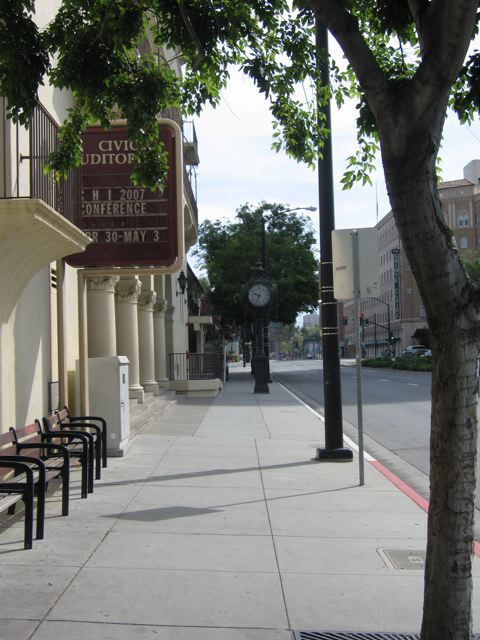
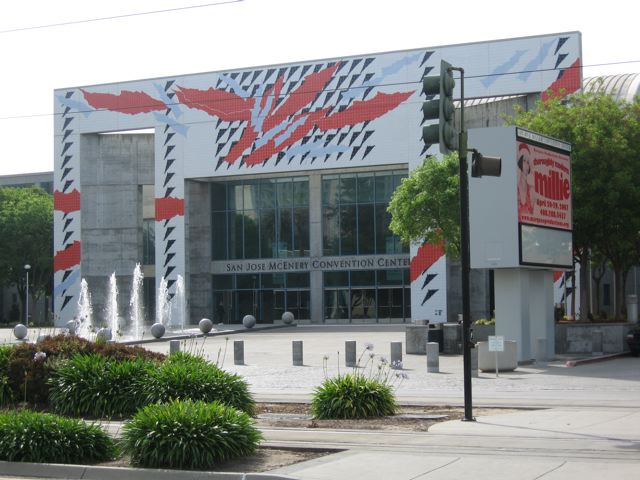
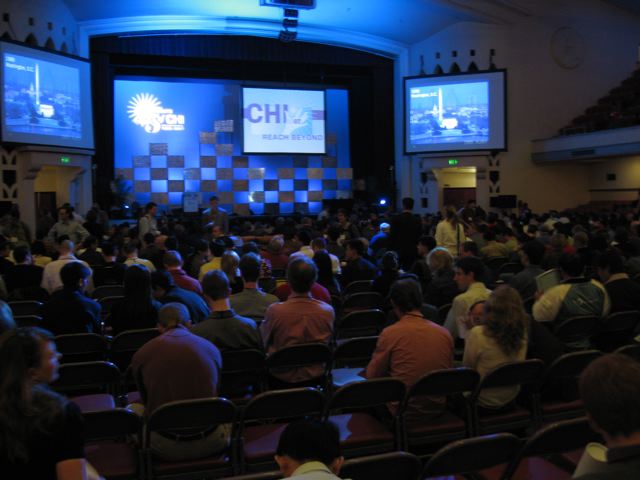
CHI2007 was a great experience: the conference gathered 2622 participants from 42 countries. It was my first CHI!

I started on Sunday with a course on HCI History: Trajectories into the Future, given by Jonathan Grudin. The presenter showed a graph putting in relation the size of computers with the technological changes that caused this miniaturization. In the same scale he presents the change of interest in the computer-humans factors. One of the innovations that drove the shift of focus in the HCI community in the 70’s was the shift of focus on non-discretionary use of computers. One interesting thing to notice was that in CHI’83 (the first CHI conference), psychologist were never cited. The current player in HCI is are the mobile applications. The next player in HCI will be marketing: the goal of a web site for an usability expert is to bring fast the user to his goal. For the marketing designer it is to expose the user to the wides range of possibilities. [here are my running notes taken during the course]

On monday I attended the session on “An Exploratory Study of Input Configuration and Group Process in a Negotiation Task Using a Large Display” (J. P. Birnholtz et al.) where the authors were trying to answer this question: how many pointing devices should be provided to a group? The authors conducted a controlled experiment showing that the number of input devices can affect the outcomes. The participants had to edit collaboratively a front page of a journal. Each article contained keywords of a particular kind. Each participant was responsible for a particular kind of keywords. The higher the number of keywords the higher points that the participant received. The author registered an higher quality of discussion in the single mouse condition, while the registered more self-interested actions in the multi-mouse condition. Single mouse forced shared focus, at the cost of reduced productivity. [url]

On thursday U. S. Pawar (Microsoft India) also presented a research on the use of “Multiple Mice for Retention Tasks in Disadvantaged Schools“. Results suggests that shared use is as effective as one-student-per-pc.

On monday there was a session on capturing life experiences that was tremendously interesting: the use of prosthetic memory. The first talk I attended was presented by V. Kalnikaite (University of Sheffield, UK): “Software or Wetware? Discovering When and Why people Use Prosthetic Memory“. The authors developed an application called ChittyChatty where people could write simple annotations and record some audio information along. The text was used to recall the content of the audio message, as an index. Prosthetic Memory designers should focus more on device efficiency over accuracy. In the same session there was another presentation on SenseCam: a prosthetic memory device developed at Microsoft Research Cambridge: “Do Life-Logging Technologies Support Memory for the Past? An Experimental Study Using SenseCam“. The author showed in this presentation how the position of the camera on the user’s chest was compared to a self point of view.

One of the last sessions that I attended on the first day was that of Mobile Applications. Matt Jones presented a note on “Questions not Answers: A Novel Mobile Search Technique“. The authors presented a novel perspective on the mobile search problem using low-cost, incidental information. The note argue that this technique can be used to provide users with insights into the locations they encounter. To the authors, presenting previous queries in situ can give “a sense of place”. In the same sessions Stephen Brewster presented a note on the use of “Tactile Feedback for Mobile Interaction“. The main argument was that on-screen keyboard do not give tactile feedback for key-press. The authors equipped a mobile phone with some vibration actuators and defined the concept of TACTONS, the equivalent of a phonemes, for the tactile perception. The authors reported of a study conducted in the subway of Glasgow (a noisy environment). Results showed that participants were paying more attention in the train situation that in the laboratory setting. 

Finally, Mary Flanagan presented “A Game Design Methodology to Incorporate Activist Themes“. She presented a rigorous, systematic means to take human values into consideration in design at many levels. She introduced the framework that they developed: values at play, and a game: rapunsel, and six circles. One of the main issue presented is that there are many social stereotypes that are difficult to overcome in design, like sexual characters. More here.
Img 5189

Tags:

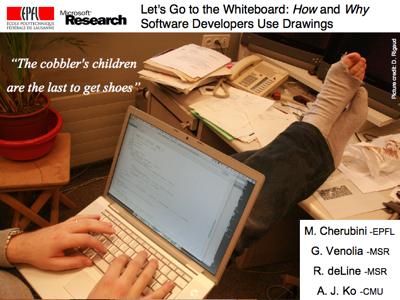
Let’s go to the whiteboard: How and why software developers use drawings

I am back from CHI2007, where I presented the work I did this summer at Microsoft Research, in Redmond (WA):

M. Cherubini, G. Venolia, R. deLine, and A. J. Ko. Let’s go to the whiteboard: How and why software developers use drawings. In Proceedings of the SIGCHI conference on Human factors in computing systems (CHI2007), pages 557 – 566, San Jose, CA, USA, April 28, May 3 2007. ACM Press. [pdf]

————-

Software developers are rooted in the written form of their code, yet they often draw diagrams representing their code. Unfortunately, we still know little about how and why they create these diagrams, and so there is little research to inform the design of visual tools to support developers’ work. This paper presents findings from semi-structured interviews that have been validated with a structured survey. Results show that most of the diagrams had a transient nature because of the high cost of changing whiteboard sketches to electronic renderings. Diagrams that documented design decisions were often externalized in these temporary drawings and then subsequently lost. Current visualization tools and the software development practices that we observed do not solve these issues, but these results suggest several directions for future research.

Letsgotothewhiteboard Cover

The slides of the presentation can be found here.

The PDF of the paper is available on the ACM digital library or here.

Tags: , ,

gSpell: getting spelling suggestions from Google

gSpell is a service for Mac OS X that provides spelling suggestions from Google. For some words and phrases Google’s spell checker is much more accurate than a desktop spell checker (since their sites generate insane amounts of statistical data regarding the world’s most common spelling mistakes [searches] and their intended spellings [results clicked]). Their spell checker also corrects formal names (can your spell checker fix Rachmananoph, Seve Jobz, or Afex Twen?) and colloquialisms not yet included in desktop spell checkers.

Human-Centered Computing Education Digital Library

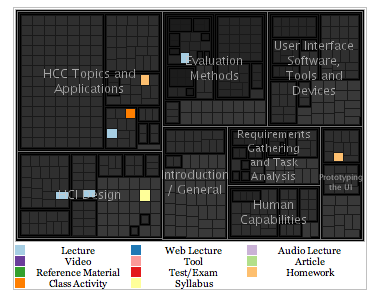
This library and web portal contains material useful for undergraduate and graduate education in Human-Centered Computing, Human-Computer Interaction and related areas. Its contents consist of a variety of materials, including PowerPoint lectures, class syllabi, videos, example projects, exams, homework assignments and more.

One of the interesting aspects of this library is that everybody can contribute to the contents. Also the search functions shows the results with a nice visualization that help understanding the content of the query results linking the results list with the compartments of the library in which each particular content was filled.

Hcc Visualization

Tags: , , ,

Perché una società vada bene

“perché una società vada bene, si muova nel progresso, nel’esaltazione dei valori della famiglia, dello spirito, del bene, dell’amicizia, perché prosperi senza contrasti tra i vari consociati, per avviarsi serena nel cammino verso un domani migliore, basta che ognuno faccia il suo dovere.”

Giovanni Falcone

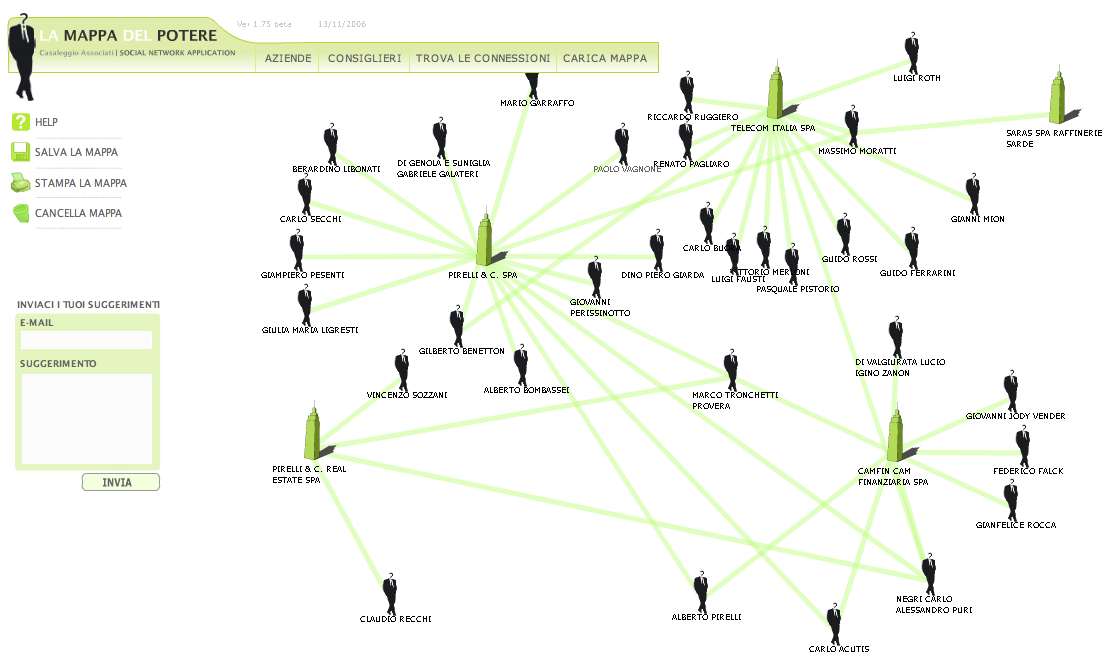
Italian Power Map

There exist an Italian version of the Power Map I blogged a couple of months ago. It is pretty interesting to see relationships between business men. There are lots of transactions happening between companies with shared board members. I think that tools like this one should be used daily from the internal revenue services. Below an example of application: I tried to show the connection of Marco Tronchetti Provera, ex CEO of Telecom Italia. At the time he was Chief Executive Officer, he was also in the board of Pirelli Real Estate. He sold many pieces of real estate from Telecom Italia to Pirelli. As Beppe Grillo would say: “He did not even had to call himself to make the deal!”.

Italian Power Map

Tags: , ,

Off to CHI

After a trip of almost 24 hours I am in San Jose (CA) for presenting the work I did this summer at Microsoft Research on how and why developers draw code. I will be posting soon the slides and the some more details of the publication. In the mean time a couple of pictures I took during the flight. First the silhouette of the Boeing 747-400, one of the best airplanes of all times.

Img 5163 Img 5164

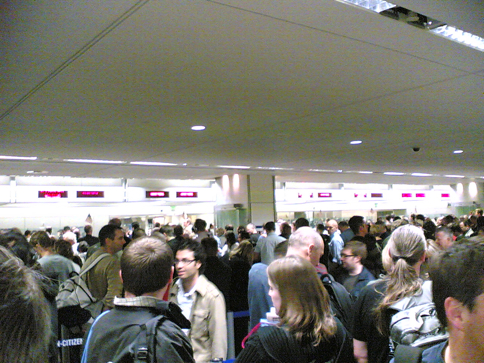
Then, of course, the welcoming endless cue of the US immigration. A -sad- side note, they took my prosciutto because they say that it is forbidden to import meat … as if prosciutto could injury somebody …

Us Immigration

Anyway, I am happy to be here. Silicon Valley and the Bay Area seems to be a nice place to hang out a couple of days.

Tags:

Analyzing eye-gaze sequences in computer-mediated-communication

Premise: to have an idea of the experiment that I am currently analyzing, refer to this technical report.

These days I have been working on creating a meaningful visualization for the eye-gaze sequences that we collected in my current experiment on collaborative problem solving at distance. As explained in my previous post, the initial step to present the huge amount of data that we collected in a meaningful way consisted in constructing a time-series of the time intervals of editing of the utterances produced and the icon movements across the work area.

This time-series per se is interesting to compare different experimental conditions. However, does not explain what the peers were doing during the editing of the messages. To introduce this information, I used the eye-tracker data dividing the work area in top-level polygons: the map area; and the chat window, which was subdivided in history pane and composition pane. I mapped these three polygons to the basic activities of: identifying (map), reading (history), and writing (composition box).

Then I aggregated the eye-gaze data in sequences of permanence into one of these areas. Then, given the start time and the end time of each sequence I could complete the time-series superimposing a timeline visualization of these three basic activities.

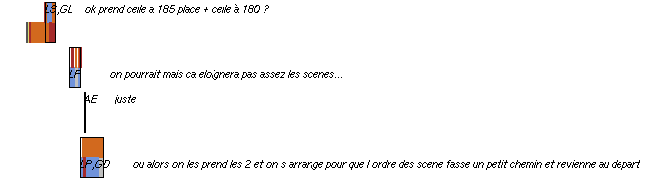
An excerpt of the resulting image is shown below. Brown color represent the identifying activity, red is reading and blue writing. For each utterance I report the activities of both peer using the upper line for participant 1 and the lower line for participant 2. What emerges at a first glance is that during the message composition there is an high probability that the eye will jump on the map and on the history whenever the message utilizes geographical references.

In other words, whenever the message composition requires a geographical encoding of information which are taken from the context (previous messages and / or shared landmarks), the eye checks these information along the editing of the message that should transmit this information. In the sequence of the 4 messages reported below, the last one shows exactly this phenomena: while the first participant is busy exploring the map the other is composing a proposition in which s/he acknowledge the choice of the two parking introduced by the first participant in the first utterance of the sequence, and s/he also introduce an extra arrangement of the scenes based on this selection. At the beginning of the message composition, the eye quickly glance at the history, looking for the confirmation of the parking labels (185 and 180), then quickly at the map looking for the path between the parking lots and the stages. Finally s/he spends the remaining time in the message composition window.

Eye-Gaze Sequence

Time-Series and Eye-Tracking Analysis of Interaction

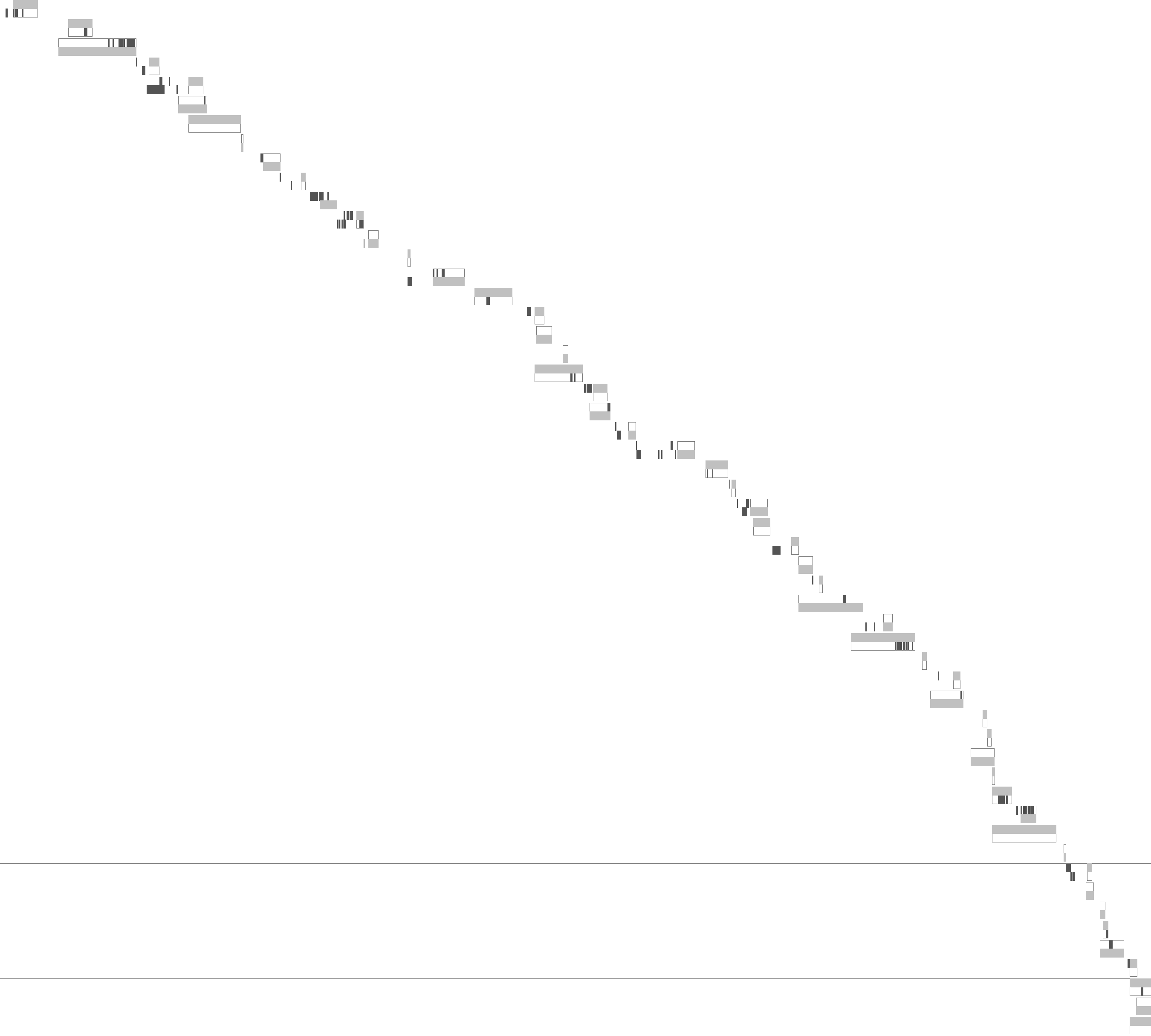
This Friday, I have been playing with some visualizations for my current experiment. The main point is to understand the sequence of actions between the two players trying to organize a concert on distance using a shared map and a chat application. My objective was to show the sequence of actions that brought the pair to reach a certain solution. In the concert experiment I organized there are three types of events: utterances, icon movements, and evaluations of score. Also the activity is not constrained in any way so that the player are free to any of these events at any point in time.

(1) The first goal of my visualization was to show the parallelism of actions between the two players: where there any concurrent actions happening in a micro sequence of the task?

(2) The second point was to show action fragmentations: how many icon movements were performed during the same sequence of interaction?

(3) The third point was to show participants cognitive alignment, superimposing to this information eye-movements registered using the eye-trackers, to answer questions of the kind: do participant B looked at A’s message before performing his/her subsequent actions?

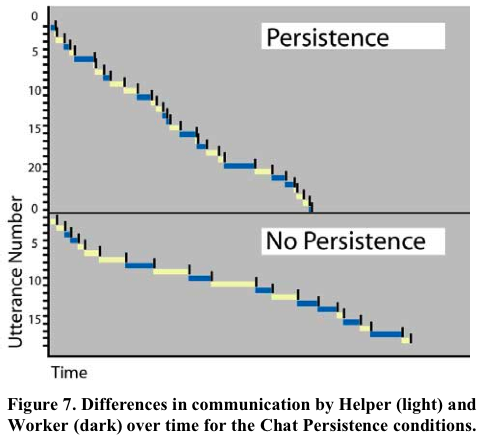
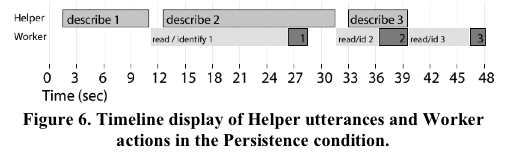
Somehow I was trying to combine Gergle et al. [1] visualization techniques. He used a timeline display to show parallelism ad a time-series to show the sequence of actions in his experiment of a pair in a collaborative problem solving (see the pictures below).

Gergle Time-Series

Gergle Timeline-Display

Somehow I was trying to combine these two techniques in a comprehensive visualization. So, I came out with an initial prototype which answer the first two points above. Each line in the series represent a sequence of interaction between the two participants the upper part is reserved to participant A, while the lower part is for participant B. light gray shows the time of composition of a message, while dark gray shows the movements of the icons. Horizontal lines show the score evaluations that were launched during the game. The horizontal axis of the graph represents time (the experiment lasted 45 minutes). The vertical axis starts on the top-left corner and it represents the utterances produced during the interaction.

Timeseriesgraph Exp 23

Reference

[1] D. Gergle, D. R. Millen, R. E. Kraut, and S. R. Fussell. Persistance matters: Making the most of chat in tightly-coupled work. In Proceeding of CHI2004, pages 431–438, Vienna, Austria, April 24-29 2004. ACM Press. [url]

Tags: , , , , , , ,